What is fallback?
When it comes to streaming a fallback simply means another stream that will be shown/used should the original stream be unavailable or drop. This is most often used for Live streams to just show a VoD when it is not available, but it can also be used to send the same live stream twice through different network routes and have the system switch between the two should one fail.
Fallback order & behaviour
Fallback within MistServer always follows a specific order:
Source > Protocol specific fallback > Stream-specific fallback > Server-wide fallback > Stream unavailable message
- The source stream will always be shown if available.
- If the source is not available the protocol specific fallback will be used, most protocols do not have one so this is often skipped.
- The stream-specific fallback which can be set within the stream optional parameters will take priority next.
- The server-wide fallback which can be set up in the general tab will be used as the last fallback option.
- The default stream unavailable text will be shown.
Recovery behaviour is much simpler. Only the original source will cause the stream to switch back. Once a fallback is playing that will be played until either that fallback ends or the source will come back up.
Typically when a stream hits a fallback or returns to the source this is done through a reload of the stream. So there will be a visible change when the streams switch over and back.
Setting up a stream-specific fallback
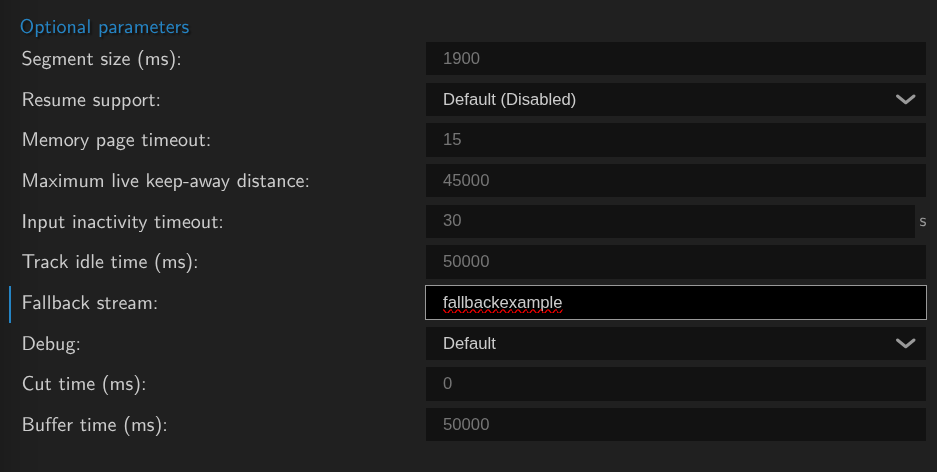
You can set up the stream specific fallback in the optional parameters. Nearly any source will have this field available, typically VoD sources are skipped as it is assumed those will not become unavailable all of a sudden.
All you need to do is set the fallback stream field to the stream name you wish to use as a fallback.
Setting up a server-wide fallback
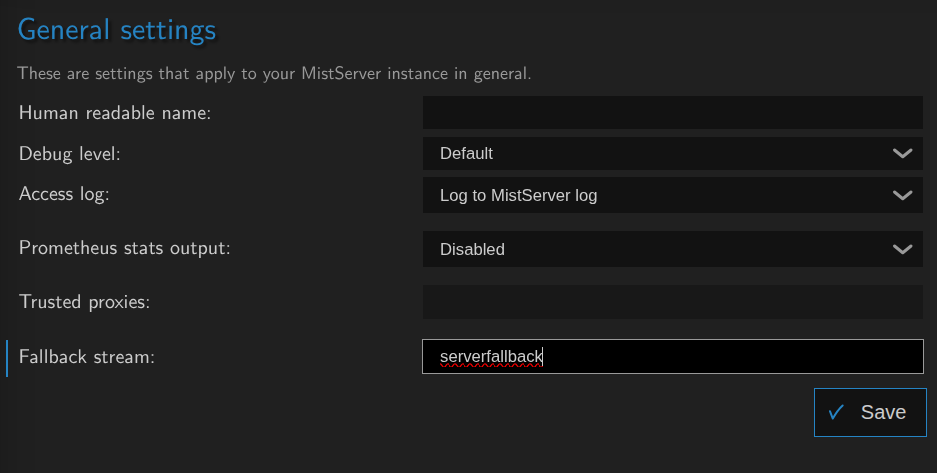
A server-wide fallback can be set to choose a certain stream name as a fallback for any stream to automatically try.
Best practices and usage tips
Pushing
One thing to keep in mind is any of the fallbacks you set within MistServer are for viewers. Any push process will not be activated by the fallbacks and needs to be customized through the pushing parameters. Typically variable pushing is best for this.
Live or VoD fallbacks
Both live or VoD streams can be used as a fallback, however which one fits better depends on your planned usage. If you only want the fallback to be shown when your live stream has ended a simple VoD is best. If your fallback is meant for a live event, you'll most likely will want a back up stream coming from a different route. It will double your ingest bandwidth, but it does work as a back up. Finally you could still have a server-wide fallback be activated should the stream-specific fallback not be available.
When using a VoD source, we do recommend opening the VoD source at least once so that the DTSH is pre-loaded and VoD fallback is fast.
Fallback works for all players, but best for the meta-player
The meta-player is made to use the information send by the server to know it's been redirected and await a notification that the source is available for playback. Other players will not have this included. Segmented playback such as HLS however can still redirect back to the soruce as MistServer can insert the original stream into the playlist once available again. Other players will be redirected to the fallback, but returning to the source will not be automatic.