Viewing/Pulling from MistServer
This is the mode where others are connecting to MistServer and requesting stream data. Most viewers would request using HTTPS or HTTP, although protocol specific requests such as SRT caller to MistServer is possible as well.
There's also the possibility of having a server to server pull, which requires a bit more thought to set up, but does come with the advantage that it allows a more scalable and efficient workflow. When pulling from other servers you generally want to stick to protocols that allow for recovery such as SRT or RIST. However from MistServer to MistServer DTSC is generally best considered superior.
Streaming endpoints to view/pull
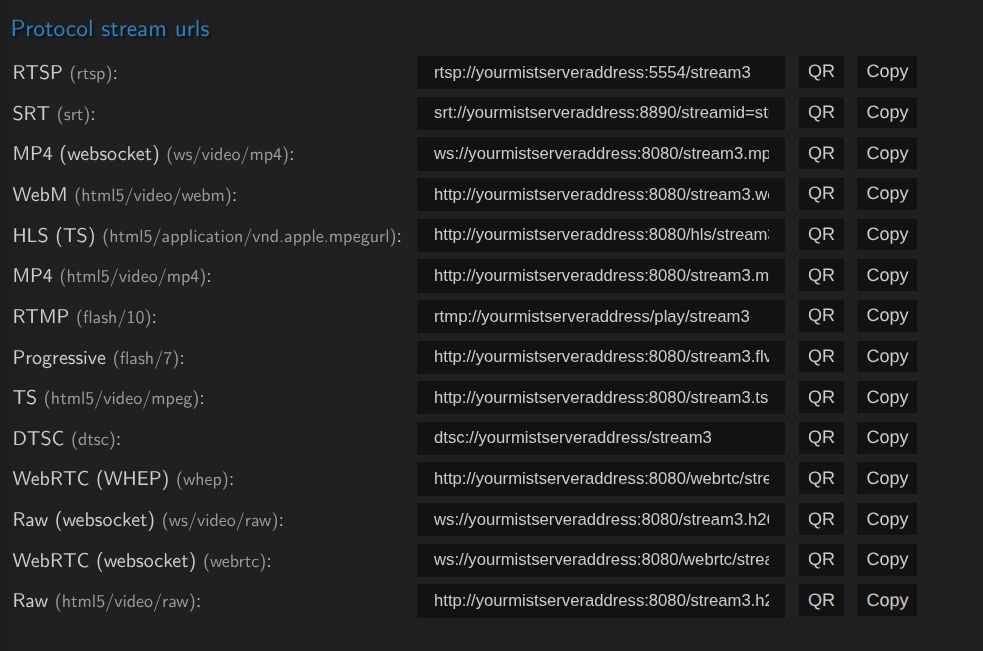
Nearly every protocol within the Protocol list of MistServer adds an possible output endpoint. MistServer has a very predictable syntax by default. The majority of the outputs that can be used to pull from MistServer will depend on either HTTP or HTTPS. By default MistServer uses 8080 for HTTP to avoid conflicting with any webserver that might be installed, we recommend changing this to the regular HTTP port 80 if this is not going to be a problem. HTTPS requires manual input so it cannot be added automatically.
If a stream is available or live you can receive a list of all possible endpoints at the "Embed" page of the stream. The default syntax for each stream should look like this.
http://mistserver:HTTPPORT/streamname.ext
or
https://mistserver:HTTPSPORT/streamname.ext
This list automatically updates based on the protocols available, adding additional HTTP and HTTPS endpoints increases the list significantly.
We also provide our player at an .html endpoint for each stream:
http://mistserver:HTTPPORT/streamname.html
or
https://mistserver:HTTPSPORT/streamname.html
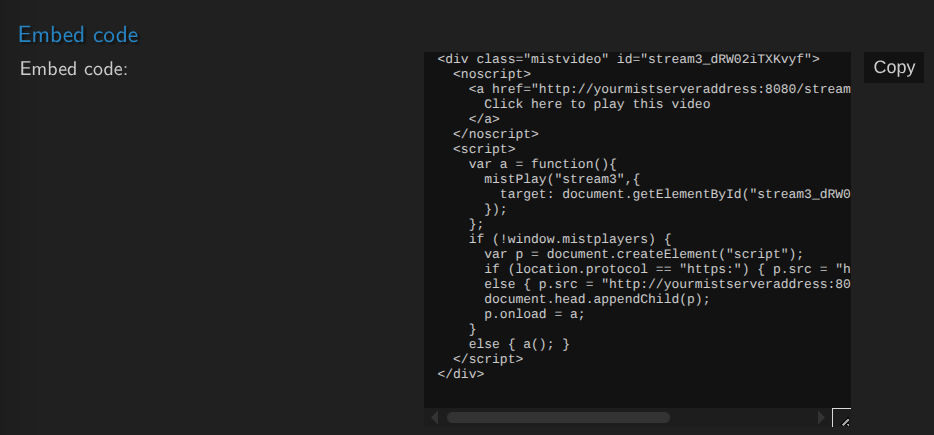
This list should only show outputs that are compatible with the current stream codec format. You can also use the embeddable code to include the MistServer player on a website: