Setting up HTTP(S)
MistServer attempts to set up as much as possible by default with sensible defaults, however as you might have noticed HTTP runs on port 8080, while HTTPS is not set up. For HTTP The reason for this is that the HTTP port is often already in use by another application, and requires root permissions to use, which might not be available for MistServer. HTTPS cannot be activated by itself as it always requires some form of manual input.
HTTP
MistServers default HTTP port is 8080, to avoid complications with any other applications or permissions. If your server is dedicated to MistServer we recommend setting the HTTP port to port 80, or adding another HTTP process to add port 80 as well.
HTTPS
To enable HTTPS you will need to add a certificate and key or set up a reverse proxy. We have guides on enabling HTTPS available here. When you're unsure which method might fit you best we generally recommend using a reverse proxy as dedicated webservers do handle the SSL encryption slightly better than our own code.
Public address to force a certain http or https connection
The public address option is meant to enforce a certain address to be used by the HTTP or HTTPS connector, this is often used in combination with a reverse proxy, however it can also be used to enforce all HTTP/HTTPS connections to be made over a list of specific addresses.
In the case of a reverse proxy the X-Mst-Path option should automatically forward and set the public address, so it wouldn't need a set up. However in some cases this isn't working and the public address should be set up manually.
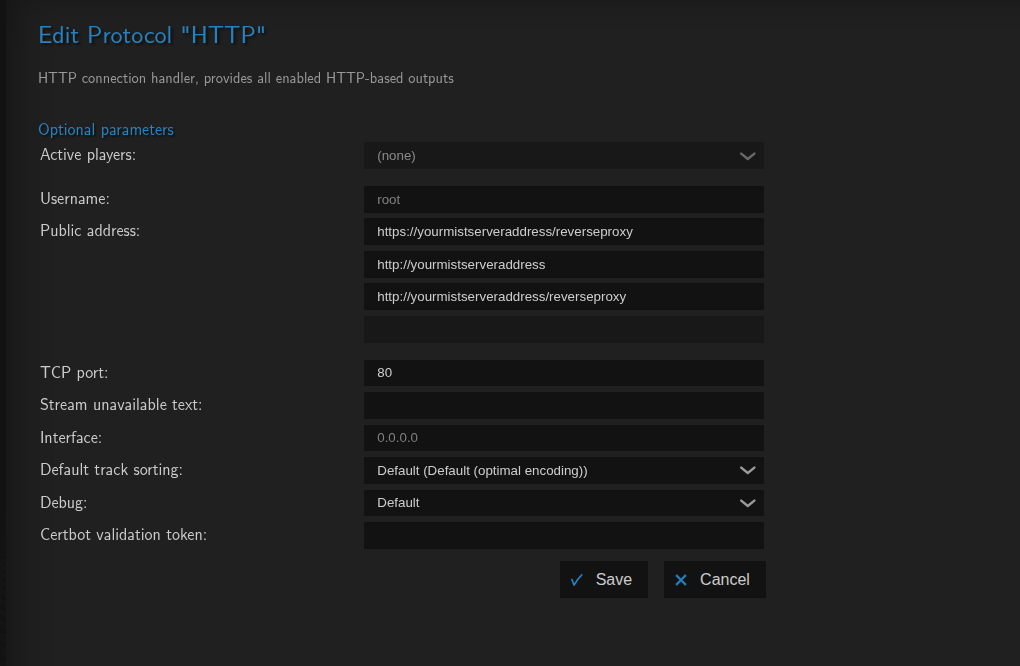
- Setting up multiple public addresses overwrites them as "valid" address, anything not matching cannot be used
- The order in which they are set up is the order they are tried in
- You can mix HTTP and HTTPS here if a reverse proxy is interpreting and converting the messages
HTTPS certificates
When setting up HTTPS you can use multiple certificates and/or keys. When a HTTPS connection is established all certificate/key combinations will be attempted to make a valid connection. When the certificate or key are edited the output will quickly restart. While this will block new connections momentarily, any existing connection should be untouched.
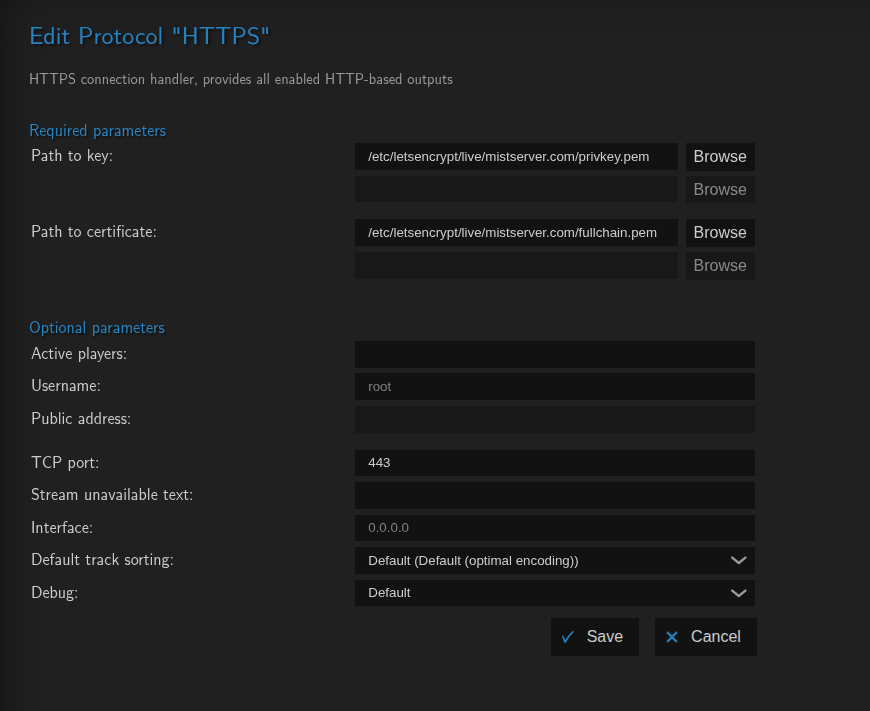
- You only have a HTTPS protocol set up if you're using Certbot or ready-made certificates