Automatic pushes
What are automatic pushes
An automatic push will become active whenever the rules for pushing are valid and the push itself is not active. If nothing is set this translates to whenever the stream is live. However both time or variables can be used to change these values. Should a stream never be able to go live again (for example both the start point and endpoint are in the past) then the automatic push rule gets deleted automatically.
Whether the automatic push rules apply gets checked by the automatic push rules:
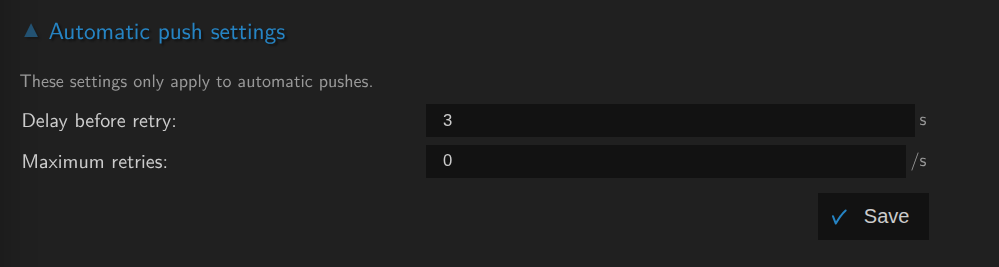
By default this is checked every 3 seconds
Pushing out of MistServer
Pushing is done through the push panel and can be done as a single event or an automatic one. MistServer has an enormous amount of outputs, so chances are you can reach the push target using MistServer. A full list should appear when you select the target, some of the more common push targets MistServer supports are:
- RTMP & E-RTMP
- SRT
- Unicast / Multicast
- WebRTC WHIP
- RIST
A lesser known option within MistServer is using an integration option to use another process immediately through:
- ts-exec
- mkv-exec
Pushing & Recording
To MistServer there is no difference in pushing towards another server or into a local file to "record". Both of these actions are considered a push with the only difference that you can usually access your local file system without any chance of connection issues.
Setting up a push
There are only two required parameters for any push, whether it is automatic or not:
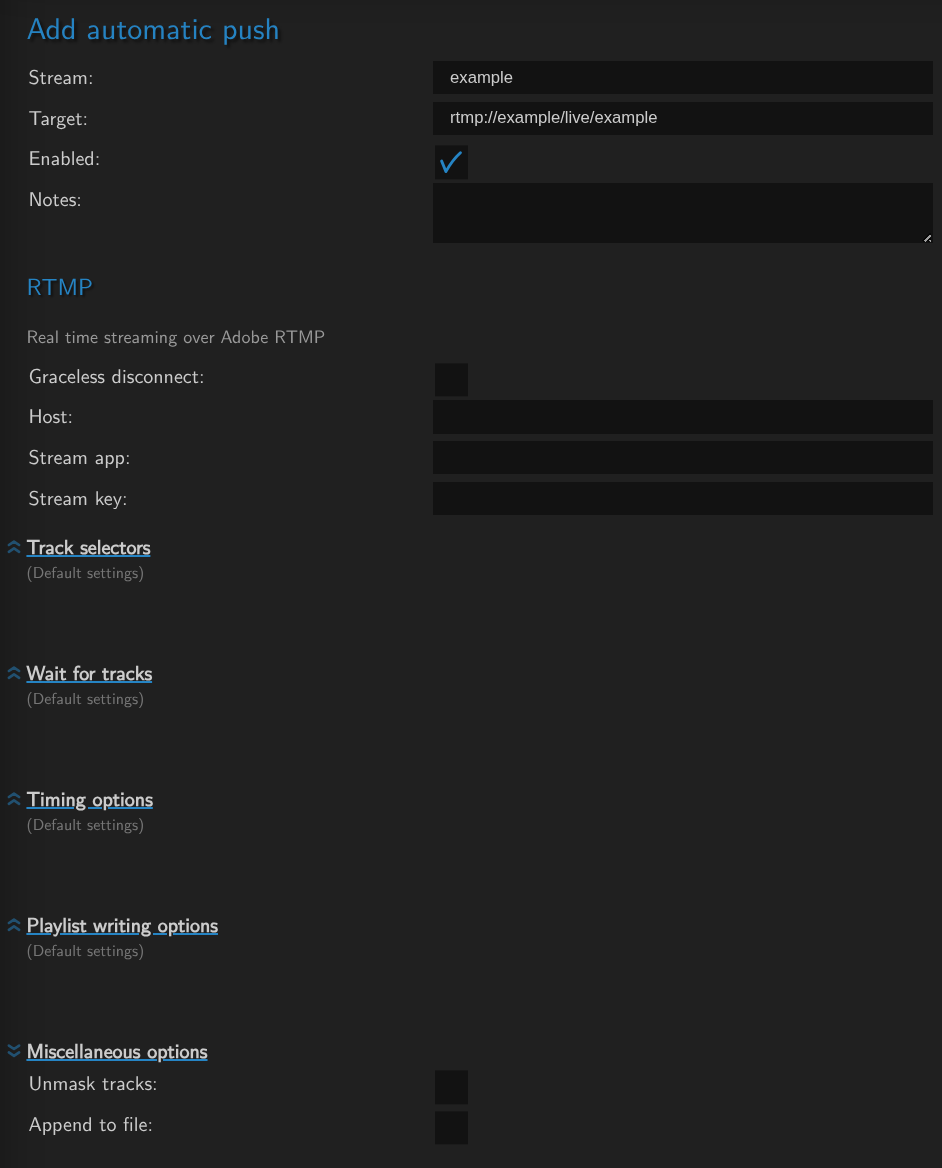
Stream- Thestream nameyou wish to pushTarget- The push endpoint that needs to be reached. MistServer will automatically adapt it to the correct protocol output.
Once a target has been selected any optional push options will appear. These can be used to target specific tracks when pushing or edit push behaviour.
Tips & Recommendations
- When recording, we recommend the usage of time specific variables. This would make every automatic push under a new unique
file name. This prevents accidentally overwriting previously recorded files. - The tracks can be selected through multiple selectors.
- Recording is most flexible in
.mkvor.ts, To easily get an MP4 afterwards use the stream as a source and download the.mp4output. - Automatic pushes can be set to inactive.
Scheduling pushes
Any automatic push will have the addition of "when" should the push be valid. If unset this comes down to "Whenever the stream is active".
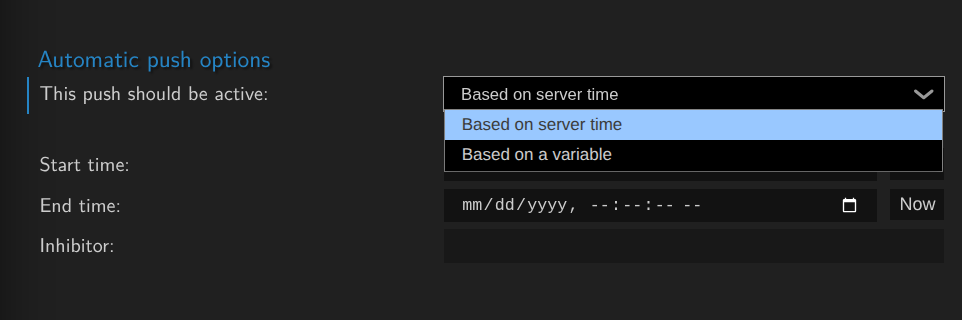
If you wish to set the pushing rules you can either use the server time or dynamic variables.
Automatic push restart behaviour
These are available directly on the push panel & determine how often an automatic push should attempt to restart when the pushing rule is valid and the push itself is not active.
By default it attempts to start the push/recording every 3 seconds that it should be pushing and is not.