Wildcards
What are wildcards?
A wildcard within MistServer is a configuration that can apply to potentially unlimited streams allowing you to quickly add or remove both live or VoD streams all using the same configuration options. This is especailly handy when you want to easily scale your platform and is highly recommended when using integration or a flexible number of ingests.
You will recognize a wildcard name within MistServer by their + within the stream name. The + always signifies the start of a wildcard whether it is live or VoD.
Live wildcards
To use wildcard streaming all you need to do is push towards a stream name and add +wildcardname. This then uses the same configuration the stream name stream has and activates.
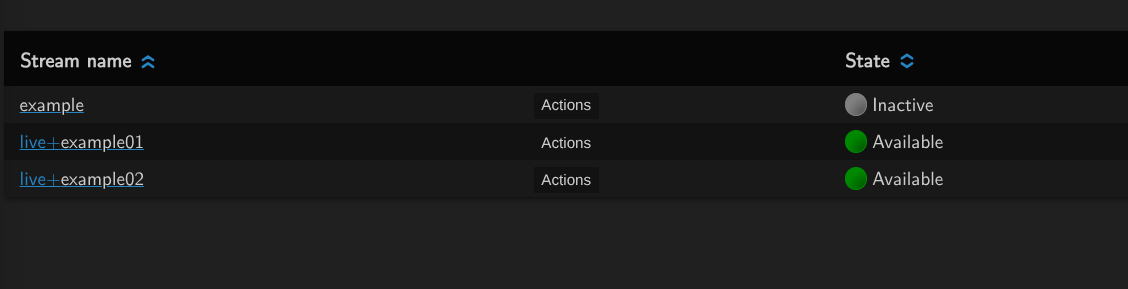
You will recognize any wildcard streams within the interface by their blue stream name and white wildcardname. In the example above live is the stream name used for the wildcard streams +example01 and +example02
VoD wildcards // Folder input
Instead of pointing MistServer to a single file you can point it towards a folder. This folder is then monitored and all files within are made available. In this case the full file name and extension will be the wildcard part of the folder stream name.

While the interface will not immediately show all the files within the folder, you can activate this by pressing the unfold "+" button. This is done to avoid loading in too many sources at once as this could slow down the interface.
- Polling the folder is a slow operation and not necessary if you know file names
- If you find yourself relying on folder support, consider using the
STREAM_SOURCEtrigger instead
If you want to know more about wildcards we recommend reading up on ingest as well.